Documentation
Getting started
Everything you need to install, set up and run your loyalty program.
On this page
Installation
- Check the requirements: WordPress 6.6+, WooCommerce 8.3+ and PHP 8.2+.
- Download the plugin zip from your receipt email or the download link sent after purchase.
- In WP Admin go to Plugins › Add New › Upload Plugin, choose the zip and click Install Now, then Activate.
- Open Loyalty in the admin menu and activate your licence (see below). The setup wizard then walks you through points, vouchers and bonuses.
On an older PHP or WooCommerce version the plugin shows a notice and stays inactive, so it can’t break your store.
Licence and updates
Open Loyalty, enter the licence key from your receipt email and click Activate License. To move it to another site, open Loyalty › Account on the old site and deactivate the licence, then activate it on the new one. Updates then appear in Dashboard › Updates like any other plugin.
Loyalty › Licence shows your licence status. Your storefront never depends on the licence: customers keep earning and spending points whether or not it’s active, and an expired licence only stops updates.
Earning points
Under Loyalty › Earning set the base rate, for example 10 points for every $1. You can override points per product, per category and per variation.
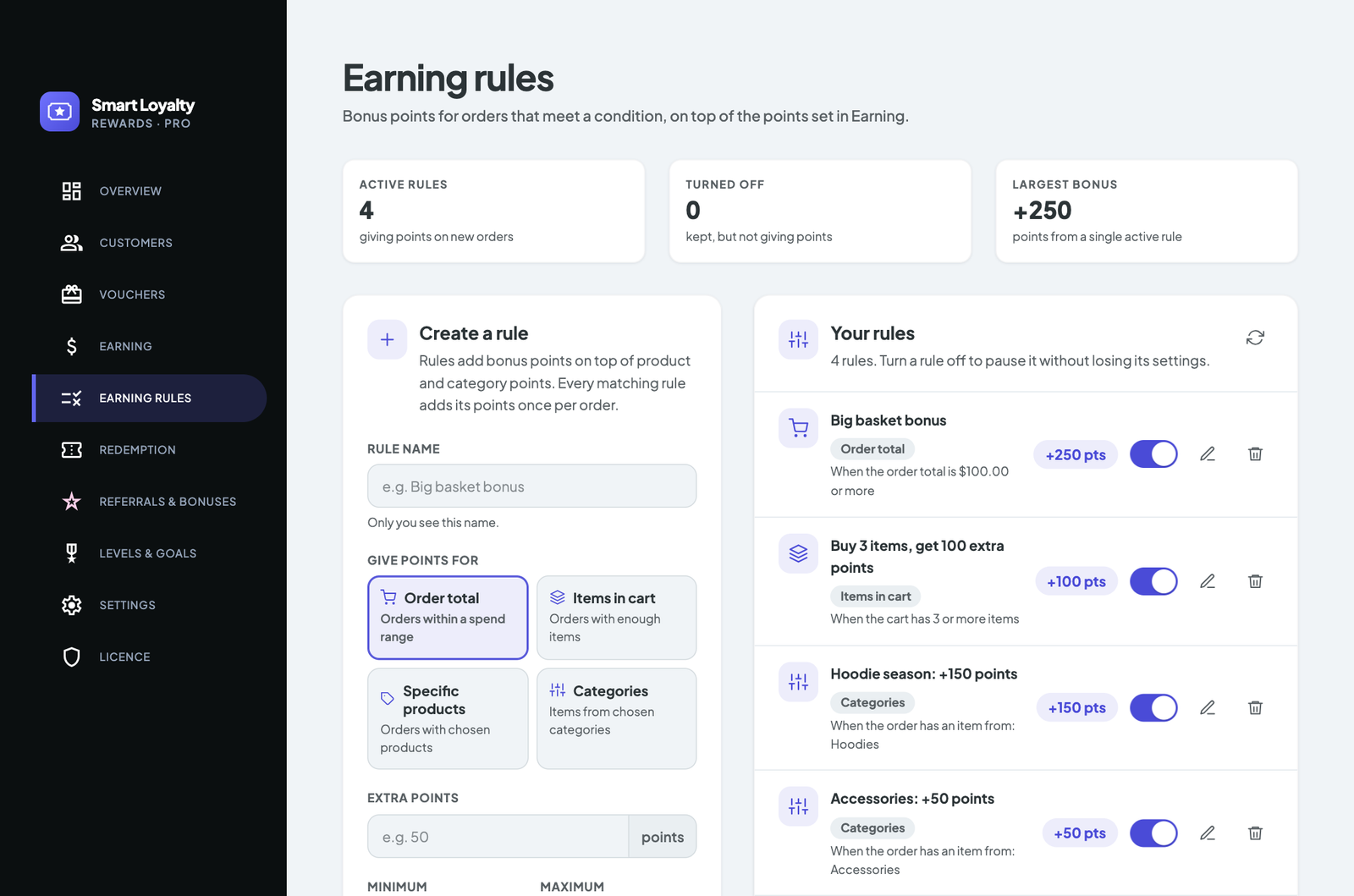
Earning rules add bonuses on top:
- Order total: e.g. 250 points for orders over $100
- Items in cart: e.g. 100 points for 3 or more items
- Product or Category: extra points when certain items are bought
Points stay pending until the order reaches the status you choose (Completed by default) and are taken back in proportion to refunds.
Vouchers and redeeming
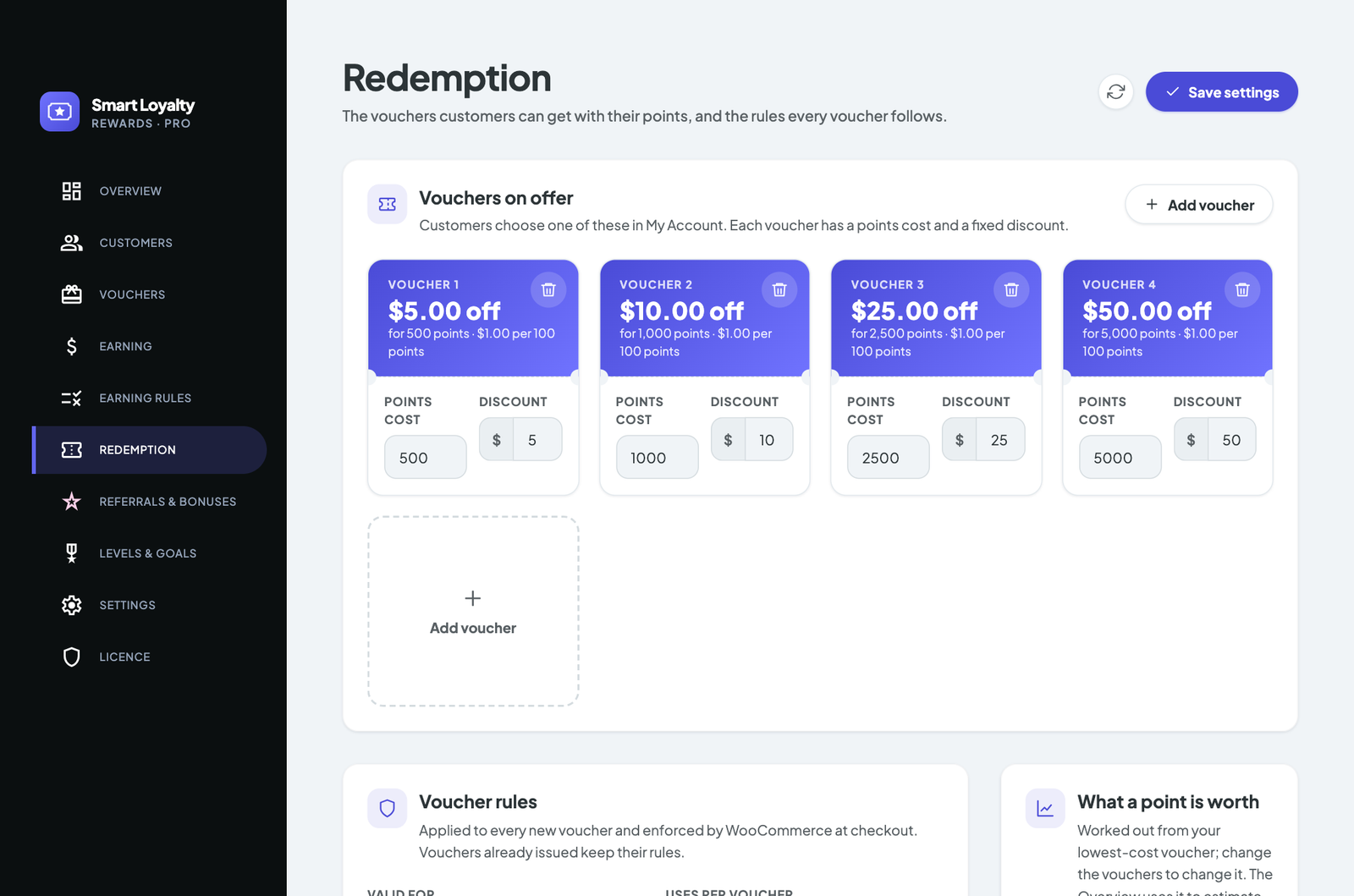
Under Loyalty › Redemption set the tiers customers can choose, for example 500 points for $5 off, as well as expiry, number of uses, minimum spend and a daily limit.
Customers redeem from My Account › Vouchers or from the Pay with points panel in the cart and checkout, which creates the voucher and applies it in one step.
Bonuses
Under Loyalty › Referrals & bonuses, reward sign-ups, daily check-ins, profile completion, verified product reviews and birthdays. Each bonus has its own amount; set it to 0 to turn it off.
Referrals
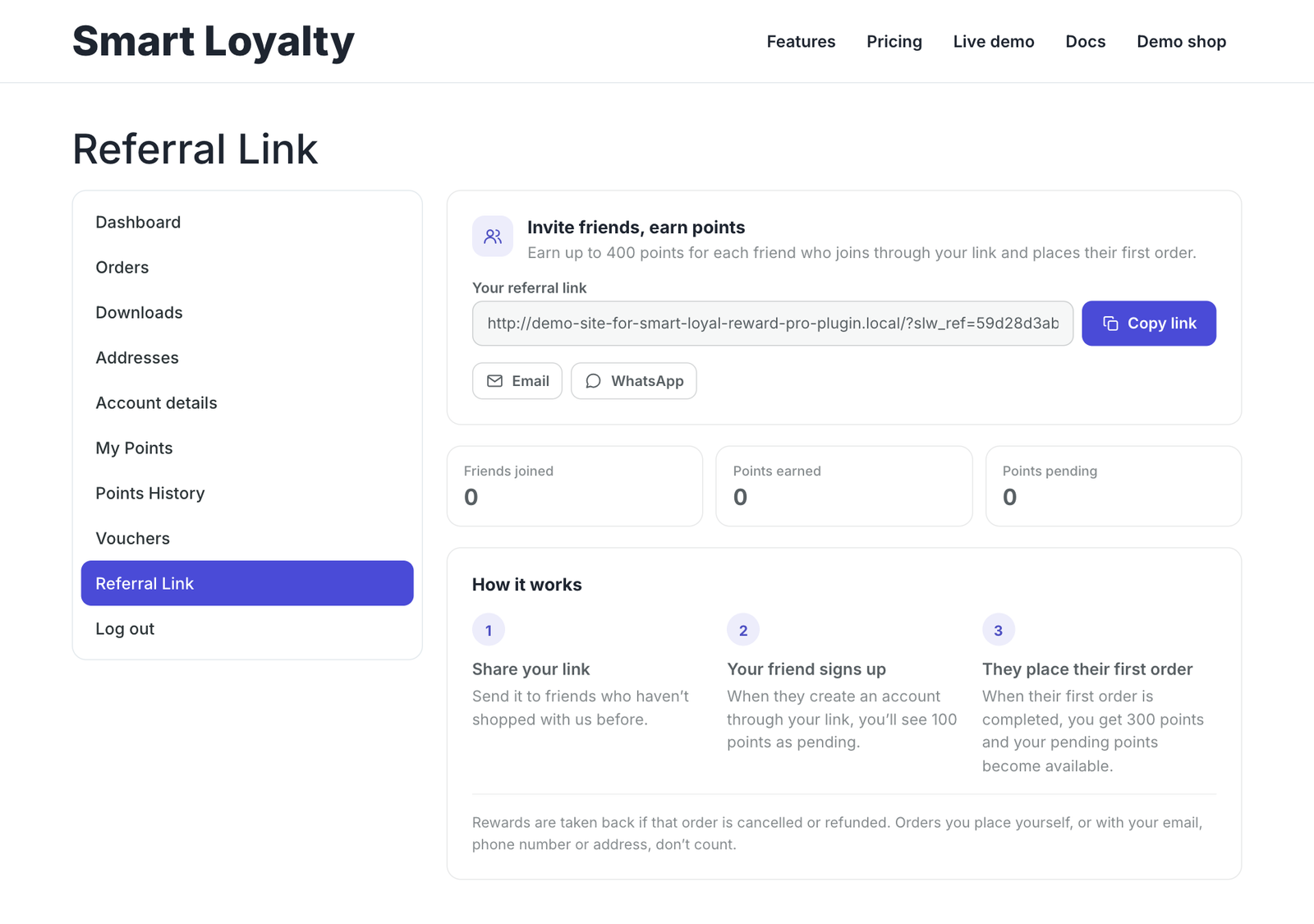
Every customer has a share link in My Account › Refer a friend. Choose first-click or last-click attribution and how many days the link is remembered.
The referrer is rewarded once per new customer, after their first paid order and once the pending period ends. Self-referrals and refunded orders are never rewarded, and you can cap sign-ups per IP and rewards per 30 days.
Levels and badges
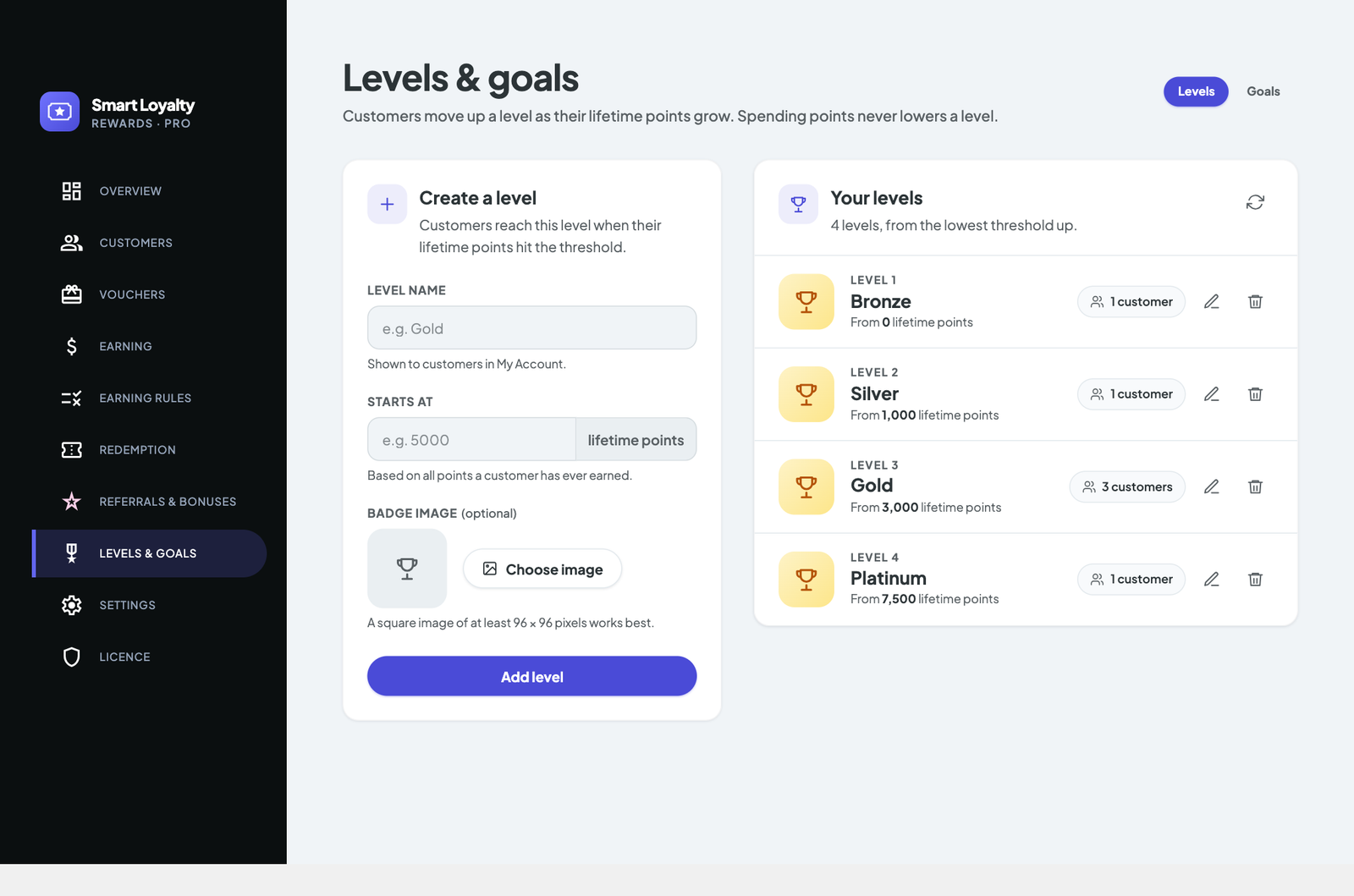
Create levels such as Bronze, Silver and Gold under Loyalty › Levels & goals, each with the lifetime points it needs and an optional badge image. Spending points never lowers a customer’s level.
Shortcodes and widgets
[slw_points]: the customer’s balance and level[slw_history]: their points history[slw_referral]: their referral link
Widgets: Points balance and Leaderboard (customers opt in from My Account).